Everything You Need to Set Up an Appointment Booking System
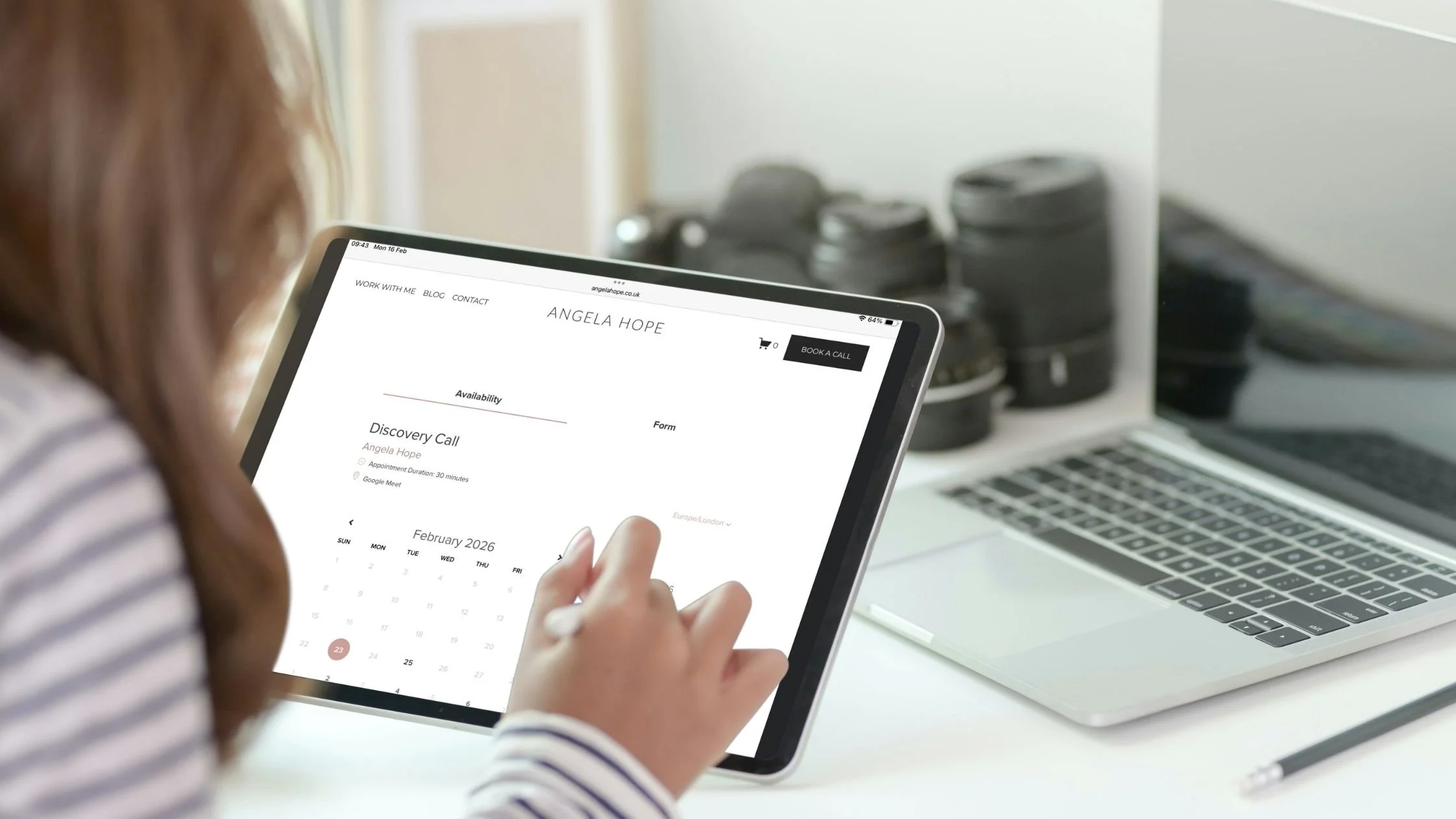
A good appointment booking system should make your life easier—not add more admin to your day.
It should allow clients to book, pay, and receive everything they need automatically, while protecting your time and keeping your calendar organised.
But for it to work properly, there are a few key things you need to have ready before setting it up.
Whether you're doing it yourself or having it set up for you, here’s everything you need.
1. Your Branding
Your booking system should feel like a natural extension of your website, not a disconnected third-party tool.
This includes:
Your logo
Brand colours
Professional business name
Consistent tone of voice in emails and messages
These small details help create a seamless, professional experience and build trust from the moment someone books.
2. Access to Your Core Accounts
Your booking system needs to connect with the tools you already use.
Make sure you have login details ready for:
Your calendar (Google, Apple, or Outlook)
Your video conferencing platform (such as Zoom or Google Meet)
Your payment processor (such as Stripe or PayPal), if you charge for appointments
Without these connections, your system can’t automate the process properly.
3. Your Appointment Types
This is where clarity is essential.
Each appointment type should have a clear purpose. For example:
Discovery Call (15 minutes, free)
Power Hour (60 minutes, paid)
VIP Day Consultation
For each appointment type, you’ll need to decide:
The name
Duration
Location (Zoom, phone, or in person)
Price (if applicable)
Buffer time between appointments
Keeping this simple makes it easier for both you and your clients.
4. Lead Capture Questions
Your booking system can collect important information before the appointment.
This allows you to arrive prepared and use the time effectively.
For example, you might ask:
What would you like help with?
Your website URL
Your business name
Only ask for what you genuinely need. Too many questions can discourage people from booking.
5. Your Availability
This is one of the most important steps—and one that many business owners overlook.
You should define:
Which days you work
Your working hours
Buffer time between appointments
Minimum notice period (for example, 24 hours)
How far in advance people can book
This protects your time and prevents your calendar from becoming overwhelming.
Your booking system should work around your life—not the other way around.
6. Payment Settings (If You Charge for Appointments)
If you offer paid appointments, your system can collect payment at the time of booking.
You’ll need to decide:
Which appointments require payment
Whether payment is full or a deposit
Your reschedule or cancellation policy
Taking payment upfront reduces admin and significantly lowers no-shows.
7. Confirmation and Reminder Emails
Automated emails ensure your clients have everything they need.
These typically include:
Booking confirmation
Date and time
Meeting link
What to expect
Reminder emails
Usually 24 hours before
Optionally 1 hour before
These simple reminders make a big difference.
8. Calendar Integration
Your booking system should sync directly with your calendar.
This ensures:
No double bookings
Your calendar stays accurate
Everything is managed in one place
Once connected, your calendar updates automatically.
9. A Thank You Page (Optional, but Highly Recommended)
After booking, you can redirect clients to a dedicated thank you page.
This can include:
Confirmation of what happens next
Preparation instructions
Helpful links or resources
This creates a calm, professional experience and answers questions before they’re asked.
10. Integration with Your Website
Finally, your booking system needs to be easy to find.
This might be:
A “Book Now” button
A dedicated booking page
Embedded directly on your site
The simpler it is to book, the more likely people will do it.
11. Choosing the Right Scheduling Tool
There are many appointment scheduling tools available, and the right one depends on your needs, budget, and how much automation you want.
Some are ideal for simple bookings, while others offer more advanced features like intake forms, payments, and workflows.
If you're not sure which one is right for you, I’ve compared the most popular options in this guide:
Best Appointment Scheduling Tools Compared (2025)
This will help you choose a tool that fits your business without overcomplicating things.
A Simple Booking System Should Save You Time
When set up properly, your booking system becomes a quiet assistant in your business - handling scheduling, reminders, and payments automatically.
No back-and-forth emails.
No manual reminders.
No unnecessary admin.
Just a simple, streamlined process that works for you.
If your booking system feels confusing, disconnected, or more work than it should be, I can set it up for you in a single VIP Day.
I’ll create a simple, streamlined booking system that connects to your calendar, sends professional confirmations and reminders, and works seamlessly with your website.
So your clients can book easily—and everything runs smoothly behind the scenes.